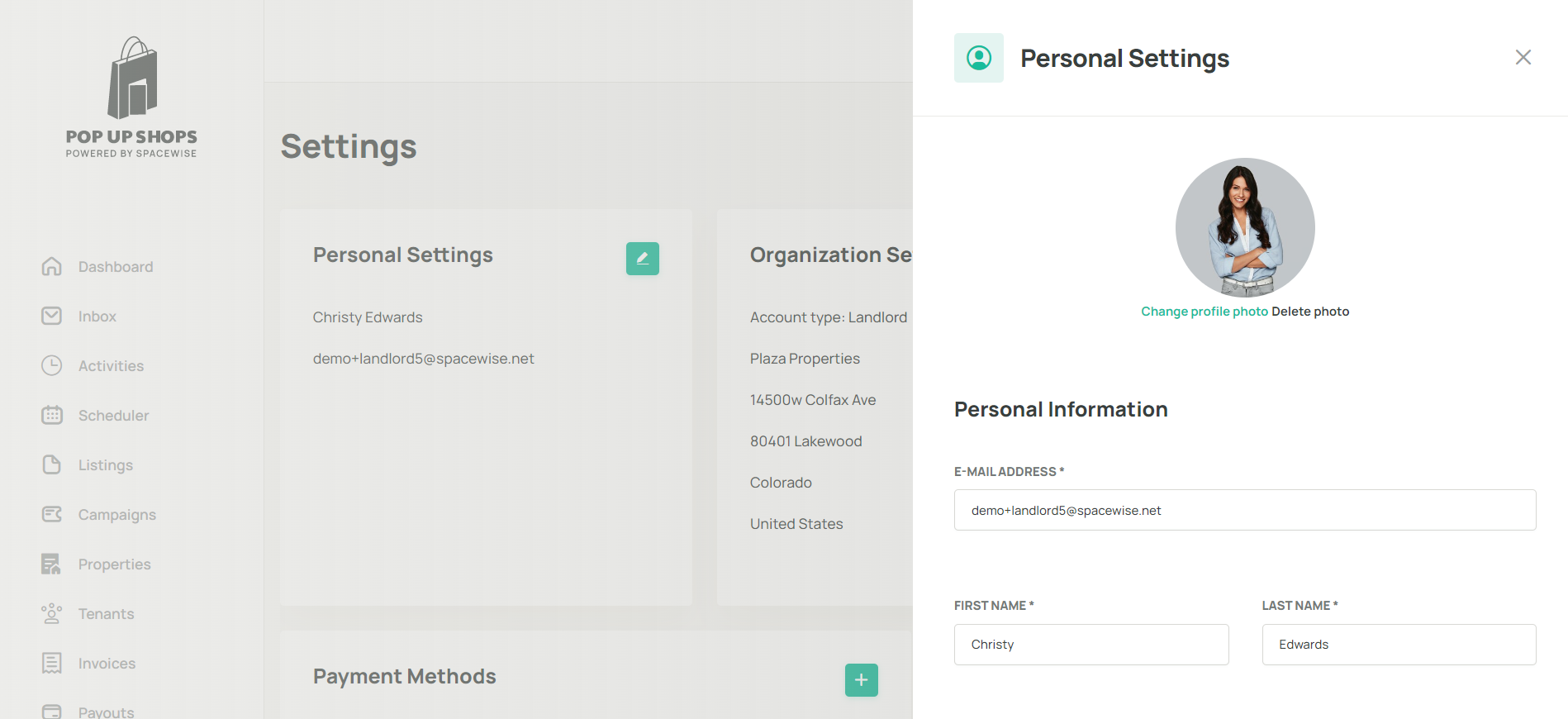
Edit or change personal settings at any point in the settings menu. You can change profile picture, email addresses, first and last names, gender, language, currency and phone number. From here, you can also change your password.
To make changes to personal settings
Go to settings
Find the section called "Personal Settings"
Click on the green pencil button
Make any necessary changes
From your personal settings you can edit:
Profile picture
First and last name
Email address
Phone number
Gender
Language
Currency
Scroll down and click save
Change your password
You can update your personal details and change your password at any time from the Settings menu in your Spacewise dashboard. Changes take effect immediately after saving.
To change a password:
Go to settings
Find the section called "Personal Settings"
Click on the green pencil button
Scroll to the bottom where it says "Change your password"
Select a new password that is at least 8 characters long
Click Change Password
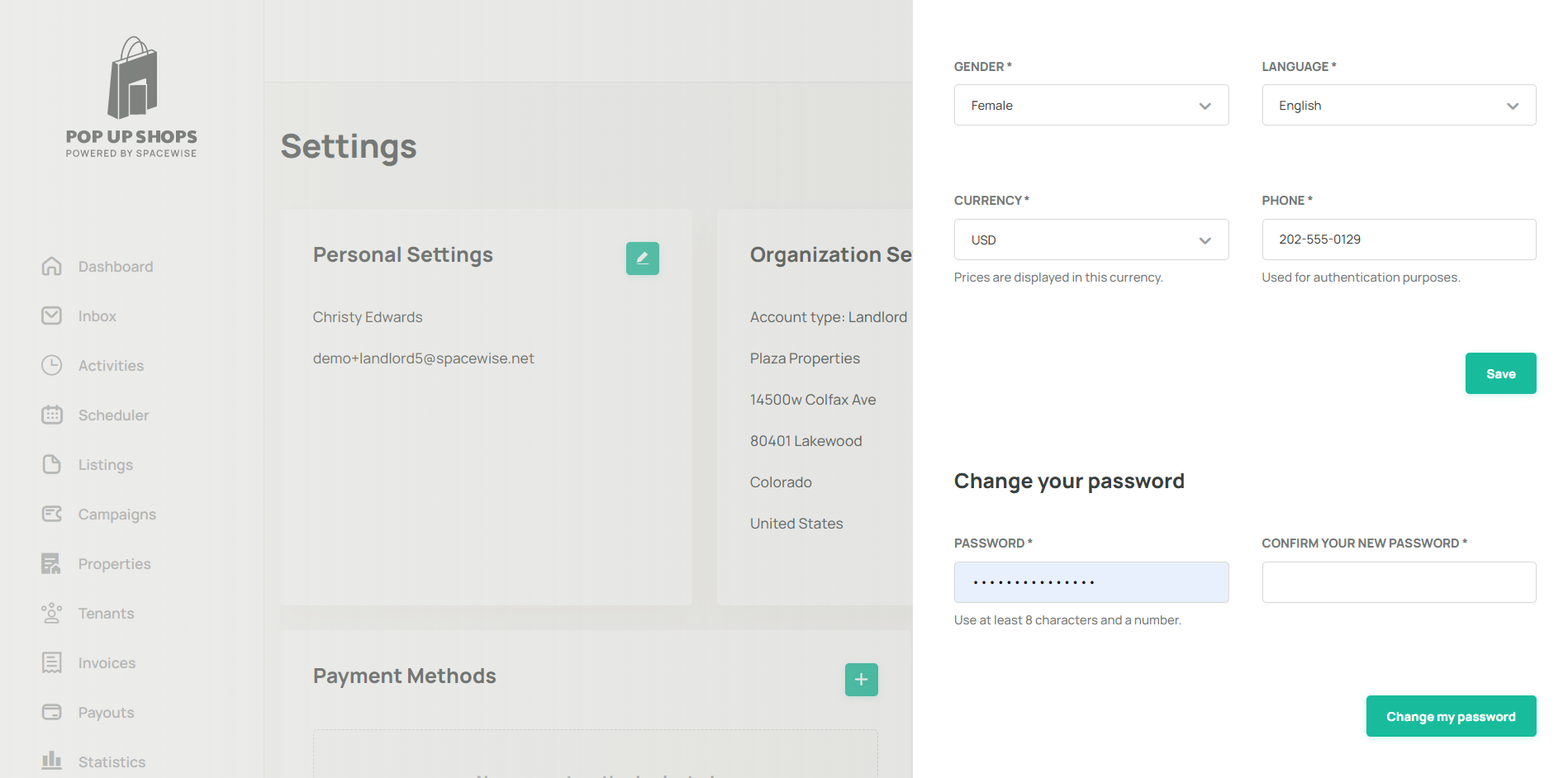
Note: Your password must be at least 8 characters long. Choose a strong password that combines letters, numbers, and special characters. If you have forgotten your current password, use the Forgot password link on the login page instead of trying to change it here.Was this article helpful?
That’s Great!
Thank you for your feedback
Sorry! We couldn't be helpful
Thank you for your feedback
Feedback sent
We appreciate your effort and will try to fix the article